Octaflow: an AI assistant

An AI assistant specialized in automations
Lead Product Designer
Clipboard Health
Figma, Claude Coe
Octaflow is an AI-first workspace agent developed as part of an experimental team at ClipboardHealth, a U.S.-based health-tech company. It connects professional tools such as Slack, Jira, Gmail and Google Calendar, and lets users execute cross-tool tasks and automations through natural language commands.
The existing product defaulted to a canvas for building automation flows aided by an AI assistant. The first issue was that it had no kickoff trigger to guide users to start an automation.
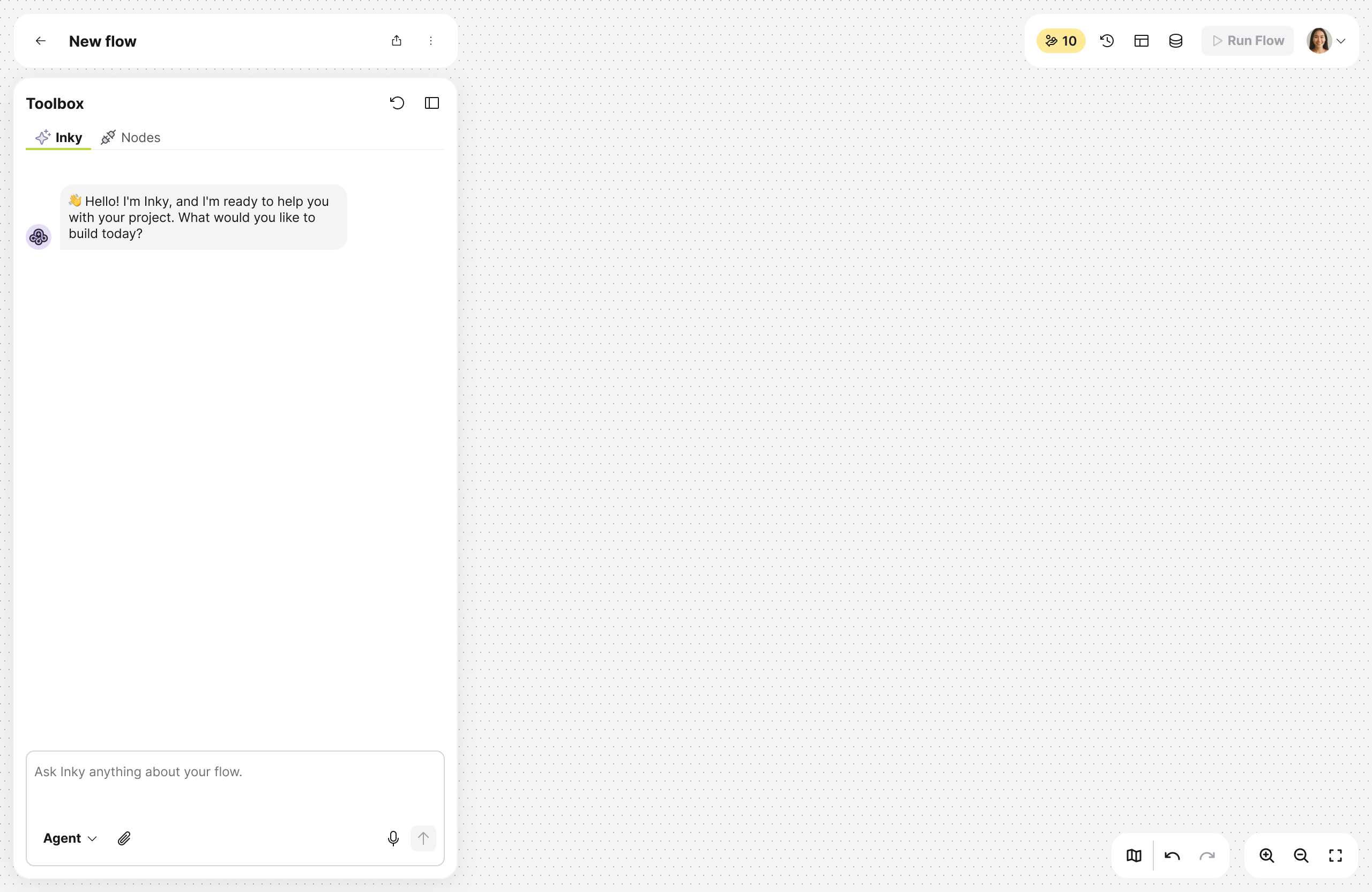
In addition, the canvas had a complex experience, targeted to technically savvy user that were comfortable configuring nodes, debugging flows, and reading technical error messages.
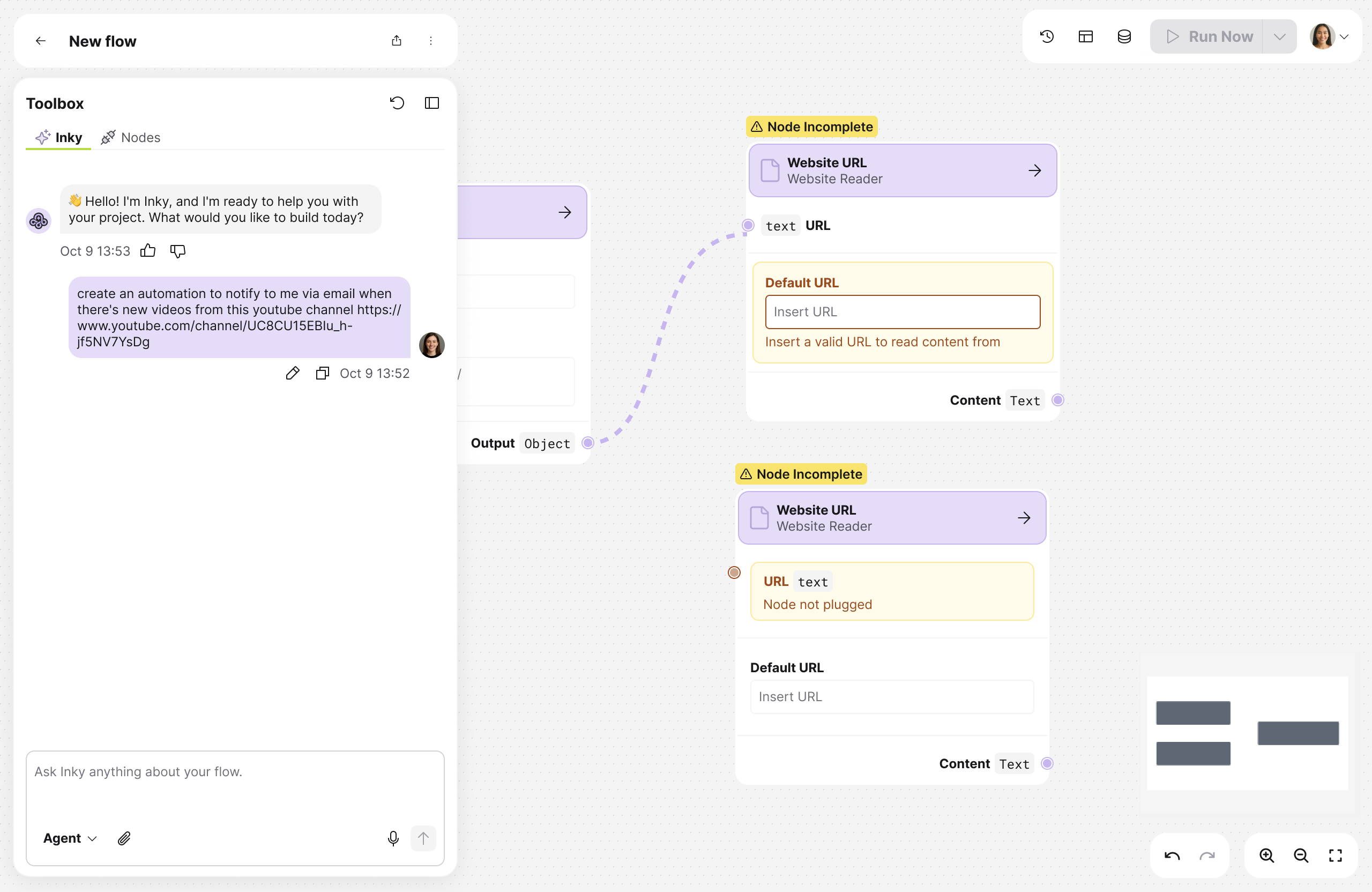
The client wanted to expand Octaflow's market to non-technical users, people who just need their repetitive work handled without learning how to build complex workflows. The goal was to make the product accessible enough to compete with simpler tools, while preserving the power features that more technical users valued.
However, there was no existing user base, no defined persona, and no research to back the decision-making. The first step was figuring out who the right user actually was and whether the product's current shape would serve them at all.
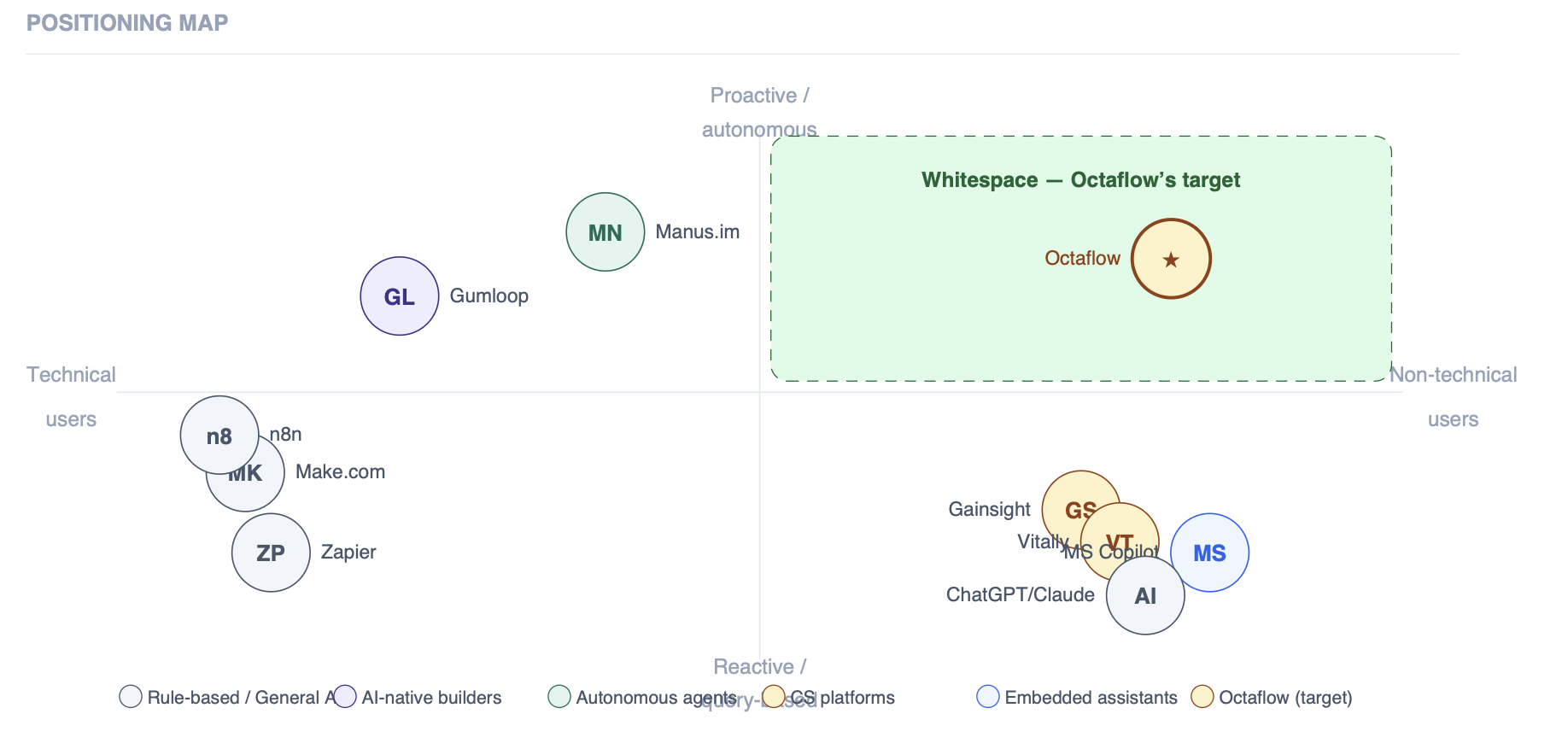
I ran a structured desk research first. Starting with a cross analysis leveraging potential users that could benefit from the type of product we were aiming to build, against the gap in the market that other products were not targeting. Then, I ran a competitive analysis across eight tools (Zapier, Make, Gumloop, Manus, Vitally, Gainsight, Custify, MS Copilot).
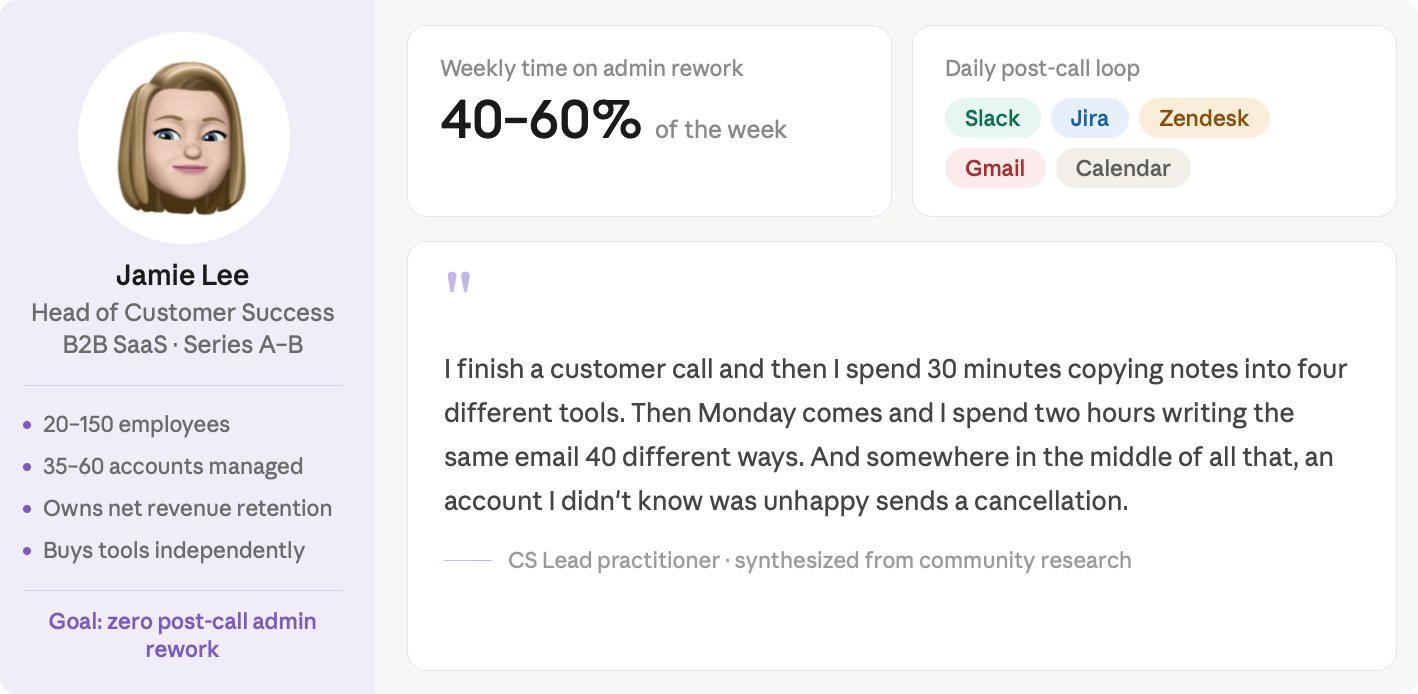
Regarding the users, our assumption was Head of Customer Success, so a deeper desk research was conducted to gather pain points and opportunities using online forums, and relevant industry surveys.
The automation canvas was already built and in use. The redesign had to work around it to reshape de experience to make it feel simpler for non-technical users without removing it's capability.
A second constraint was trust. Non-technical users won't trust an AI agent with client-facing actions unless they can see exactly what it did and why. "Ran successfully" isn't enough. A CS lead won't risk a client email going out without reading it first. Any design that skipped a readable confirmation step would fail to activate the core persona.
The biggest design call wasn't a UI detail, it was an architectural one. Should the canvas be the primary interface, or an escape hatch? The existing product defaulted to the canvas: users built flows visually, with chat as a support layer. Keeping the technical barrier that was blocking the exact users the client wanted to reach.
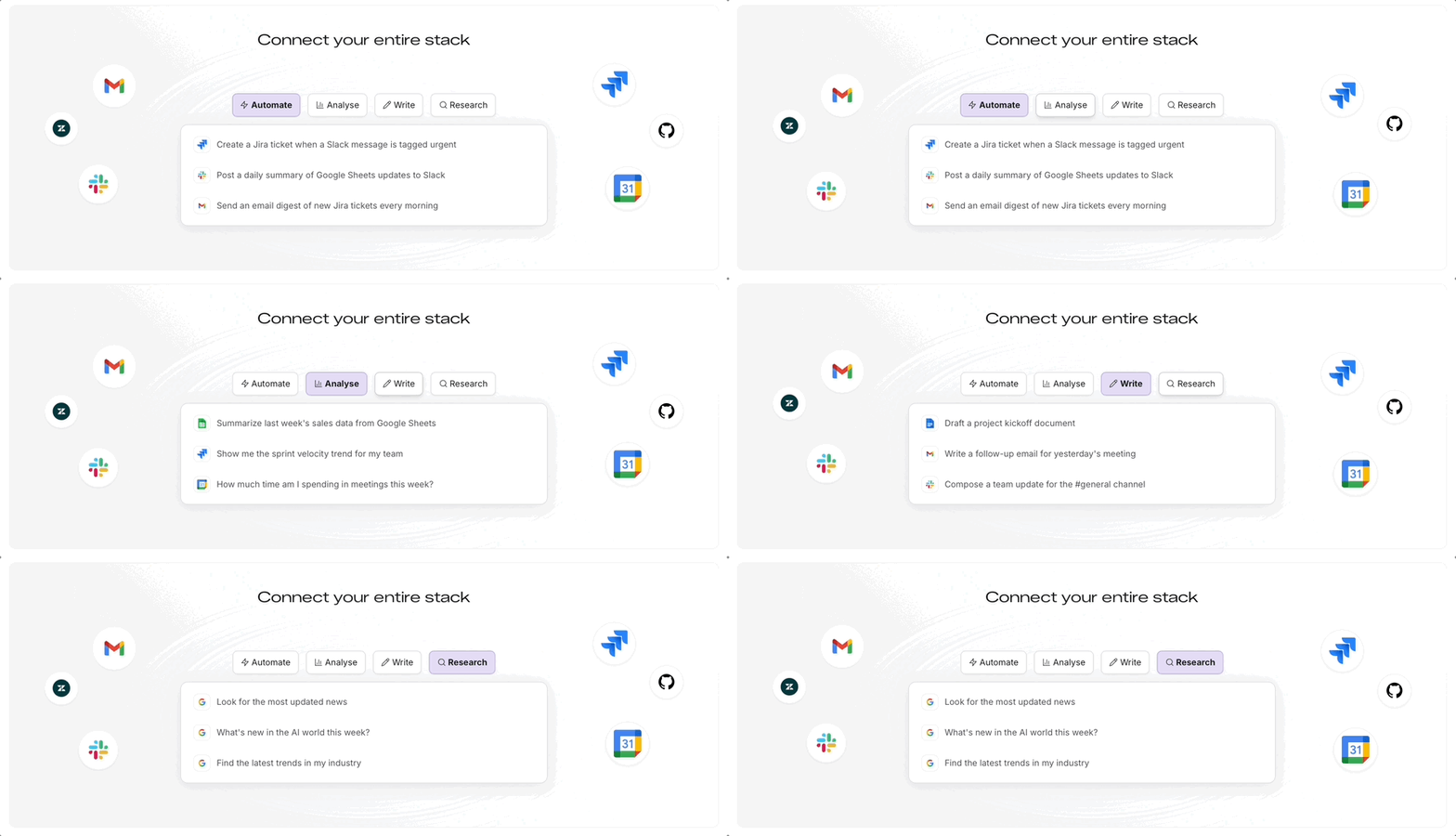
The Decision was a Chat-first experience. A simplified chat flow where users can use natural language commands to create complex automations, edit and review it from within the chat interface. In addition, it was clear we needed a good onboarding process to make sure users knew where to start.
The redesign covered four interconnected surfaces: an onboarding guiding new users, the chat first experience, and the new simplified canvas.
I've designed a modal guiding users trough 3 steps to help them understand the app and kickoff the experience:
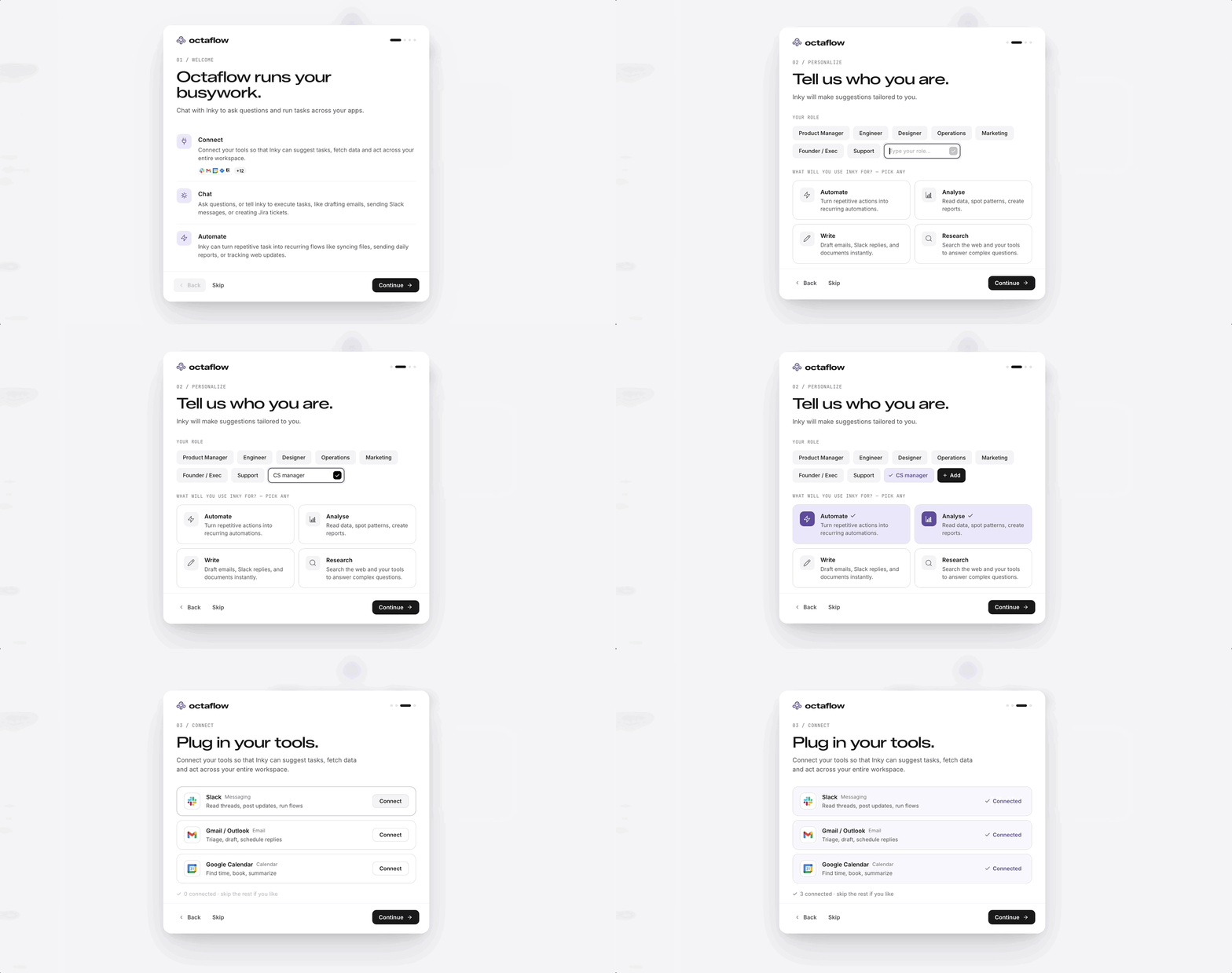
On the Dashboard, there's a “Get Started” checklist in case user's skipped any step on the onboarding modal. In Addition, the chat has suggestions based on the onboarding, ready for users to start asking questions, or start an automation.
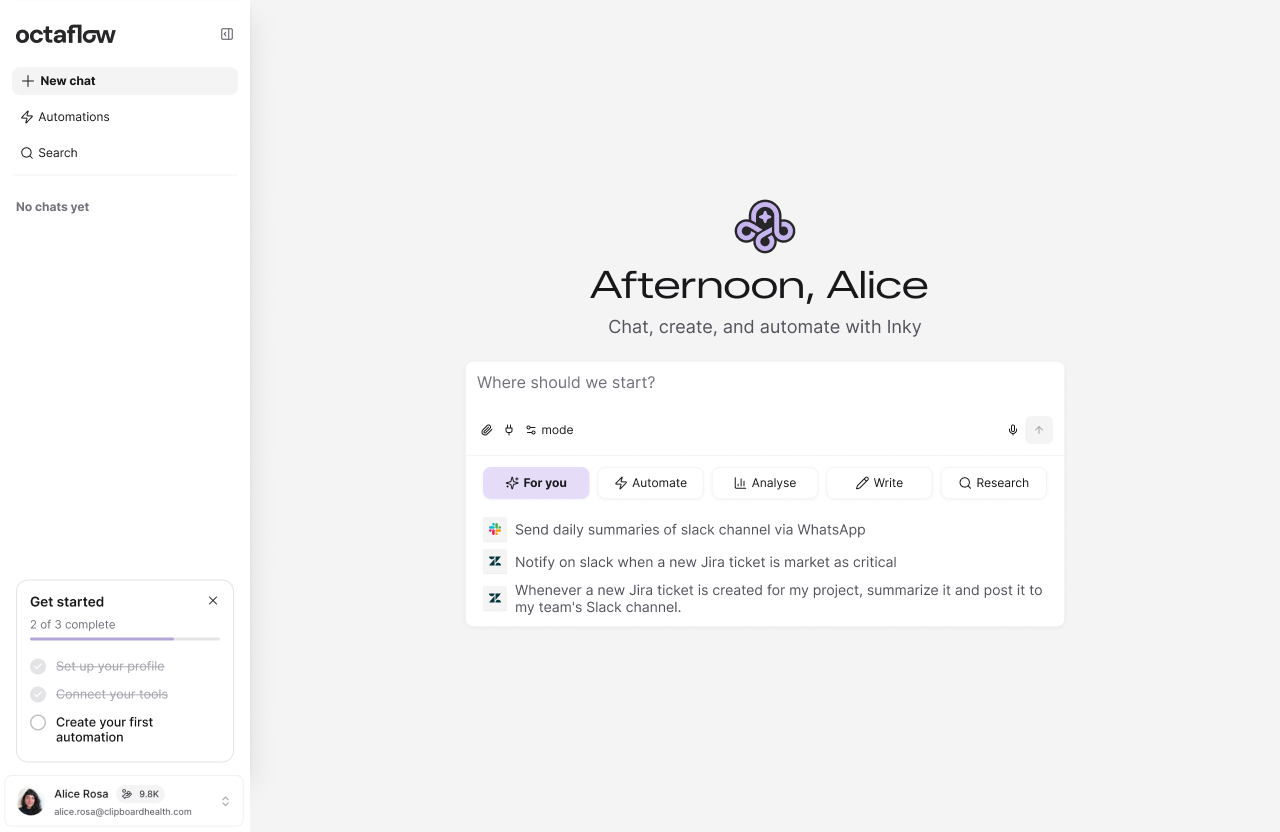
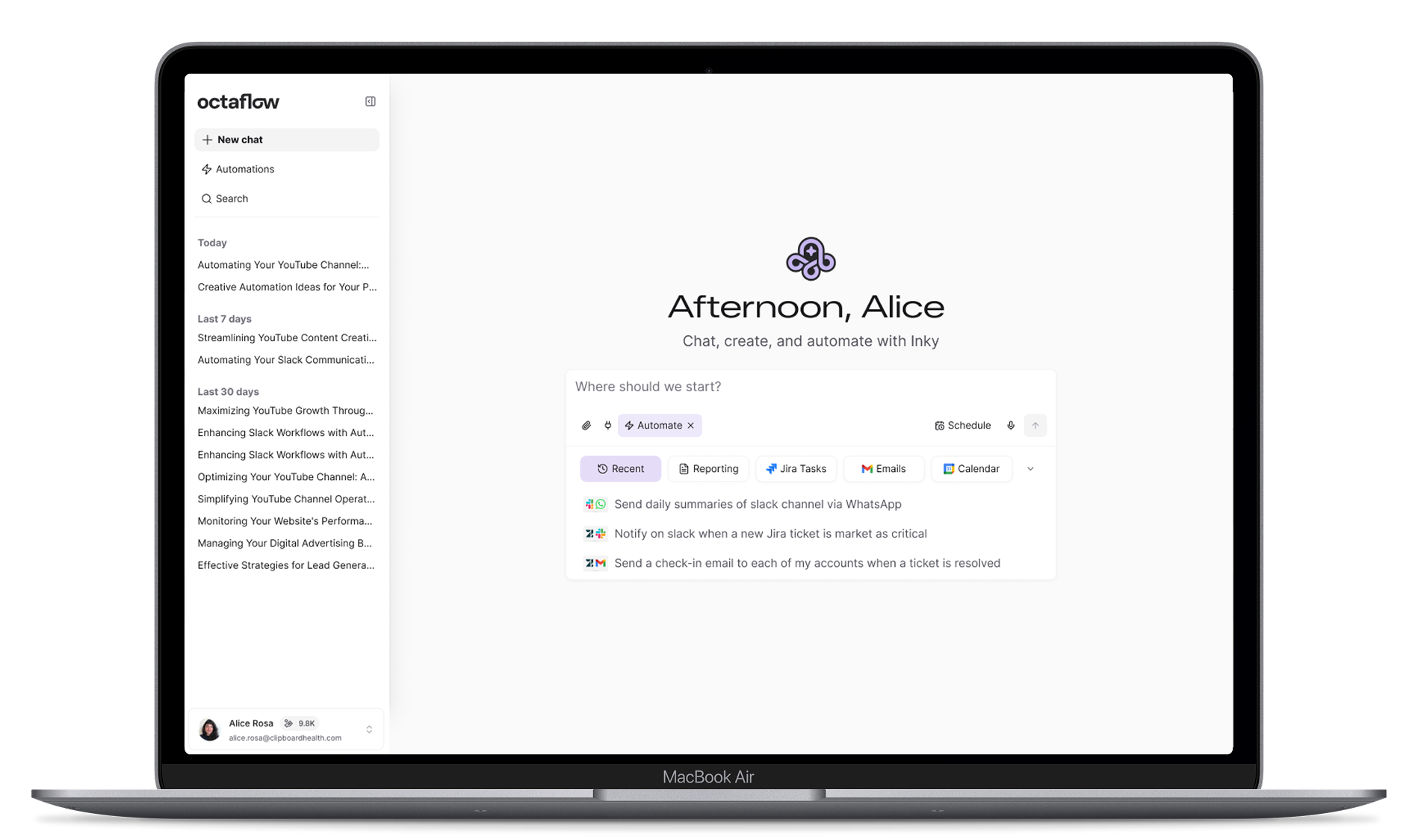
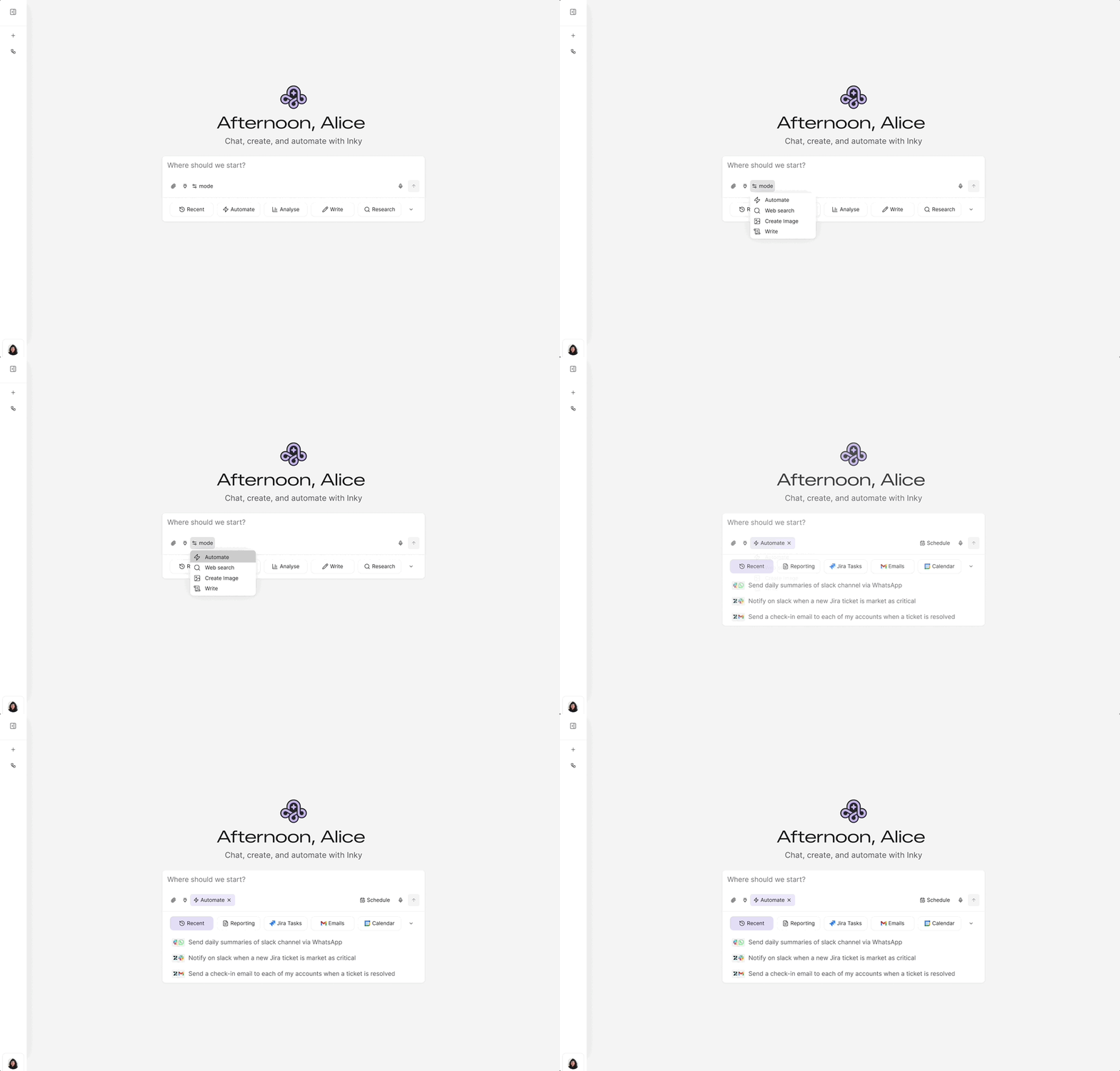
The dashboard is a chat-first surface where all task types live in one input. A mode selector reconfigures the experience per intent, for instance Automate adds a scheduling control, and Write surfaces a style picke. Below the input, prompt suggestions adapt to the user's connected tools, role and mode selected, pre-empting the blank-slate paralysis that kills activation in most AI products.
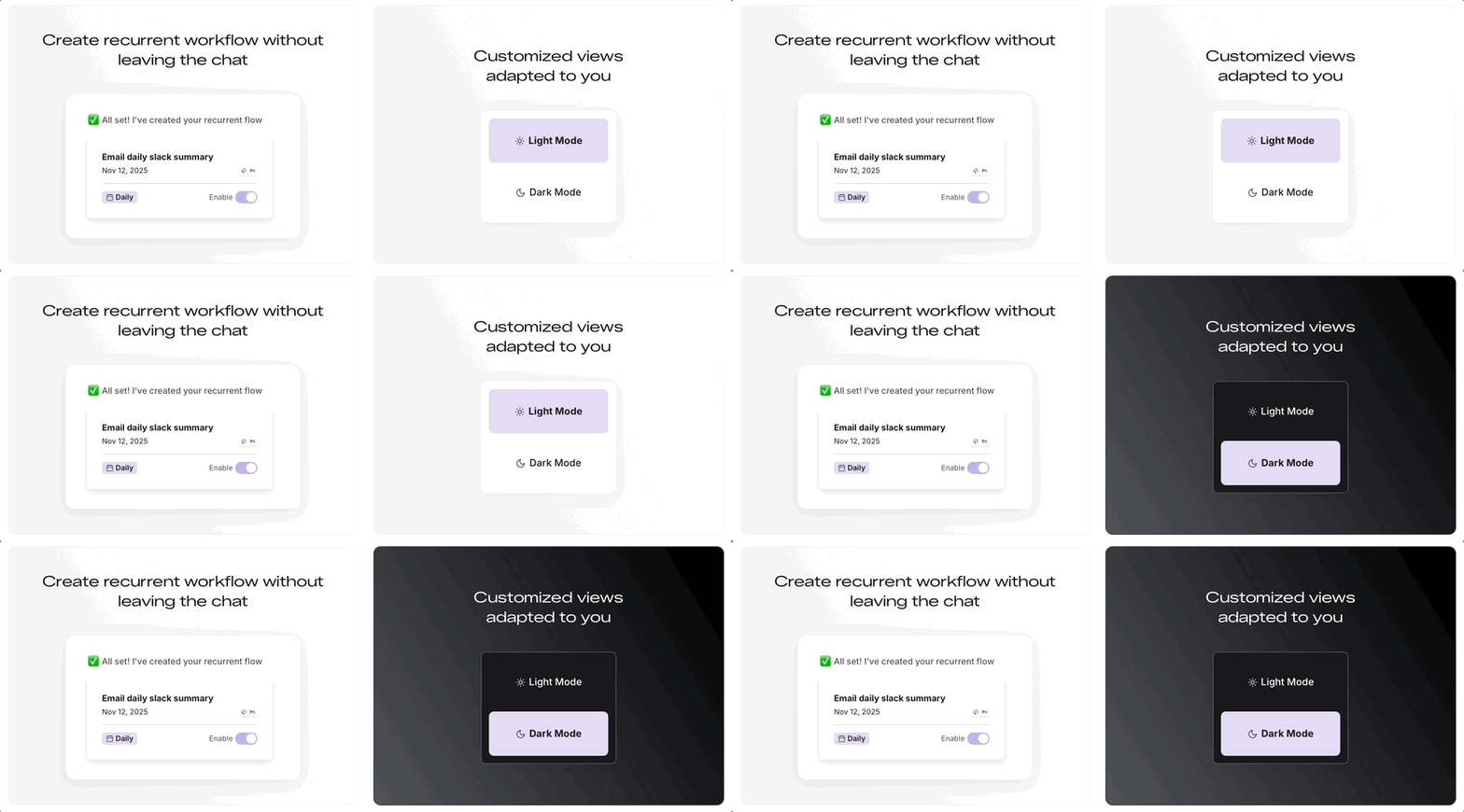
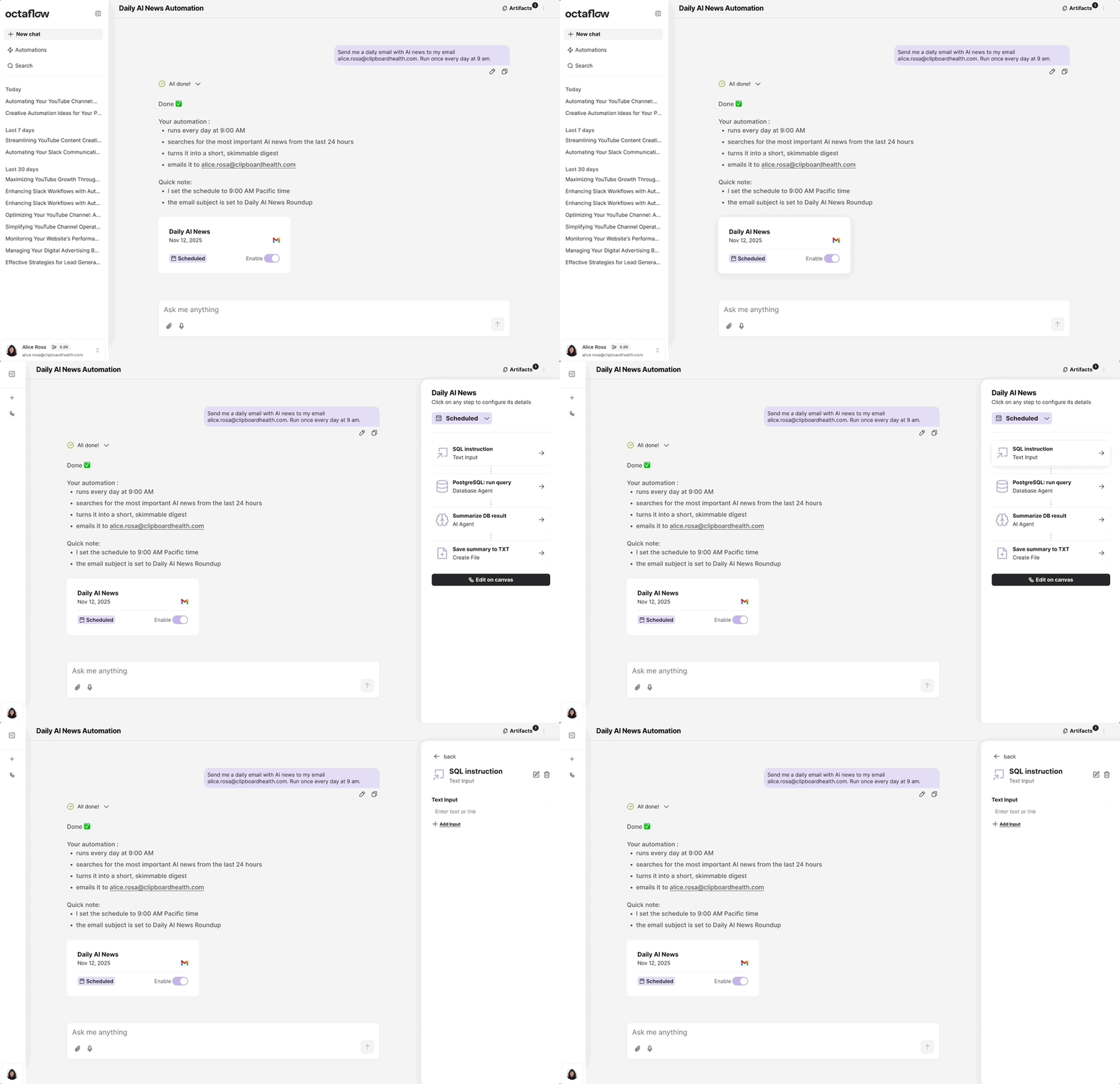
When Inky creates an automation it generates an inline card in the conversation, showing the flow name, connected tools, and trigger type. Clicking it opens a sidebar listing each step sequentially, where every node is editable without opening the canvas.
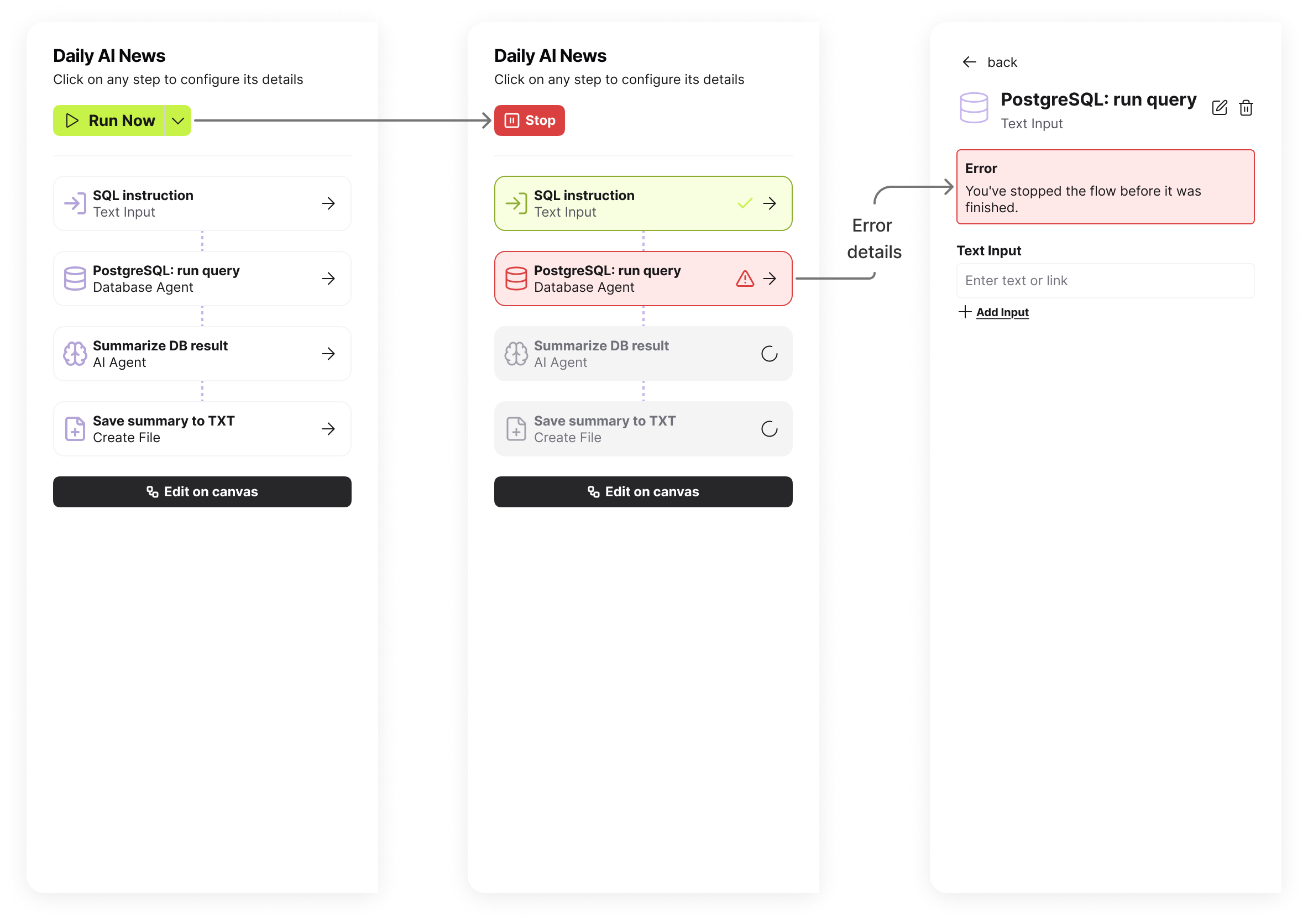
For manually triggered flows, the same sidebar becomes a live execution panel: each node updates in real time through Running, Waiting, and Complete states, with plain-language error explanations when something fails.
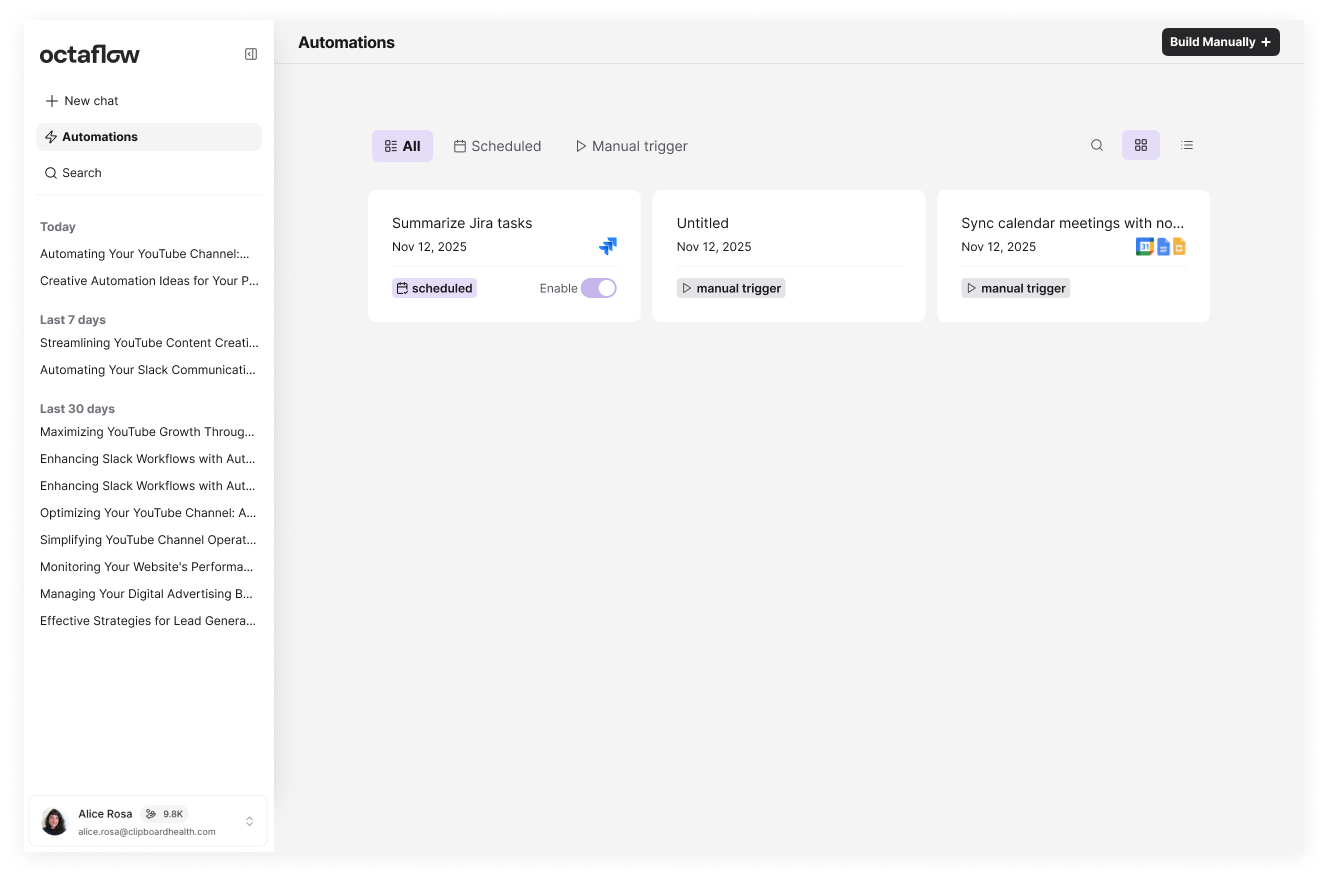
All automations — created through chat or built manually — live here in one filterable list. Cards show the trigger type at a glance: Scheduled flows have an enable toggle, Manual trigger flows are ready to run on demand. A Build Manually button routes directly to the canvas for users who want full control, without surfacing that complexity in the default experience.
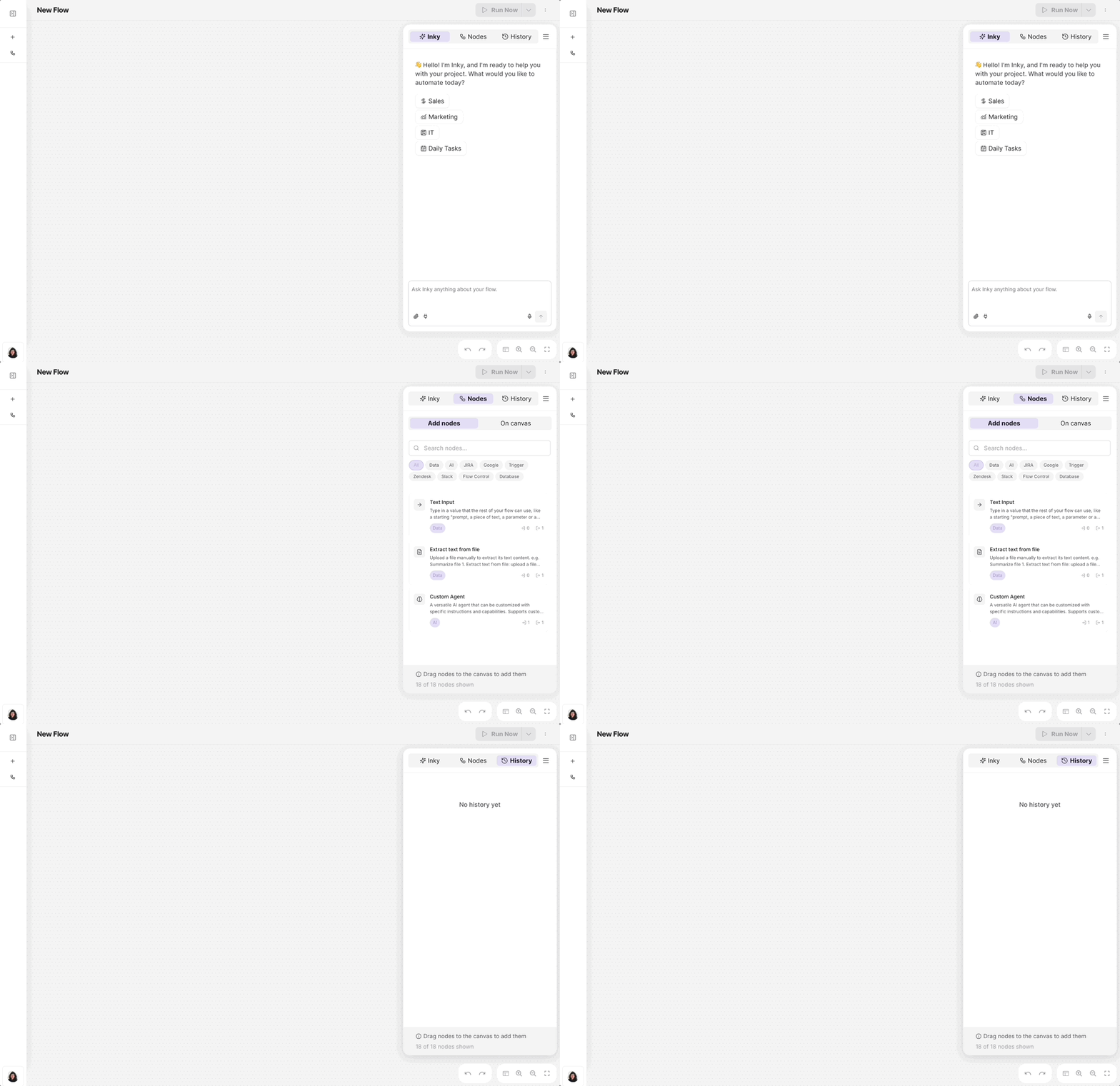
The canvas is the power surface, reached deliberately via "Build Manually" or "Edit on canvas," never by default. Inky is available as a sidebar assistant throughout: it can generate a flow from a plain-language description, validate logic, or explain any node, keeping the canvas usable even for users who arrive there without deep automation expertise.
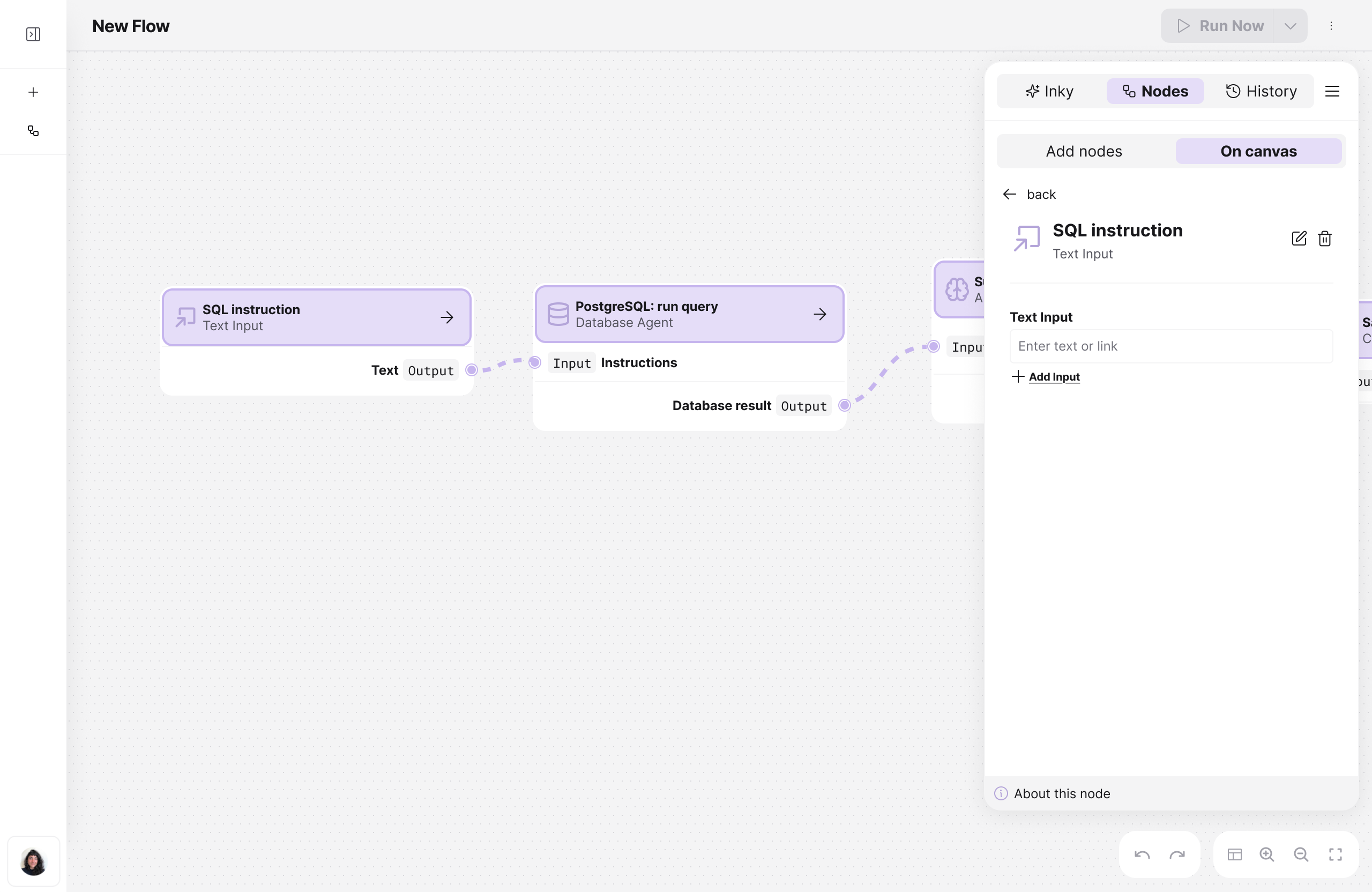
Technical users can drag and drop nodes to assemble complex multi-step flows with full visibility over the execution graph.
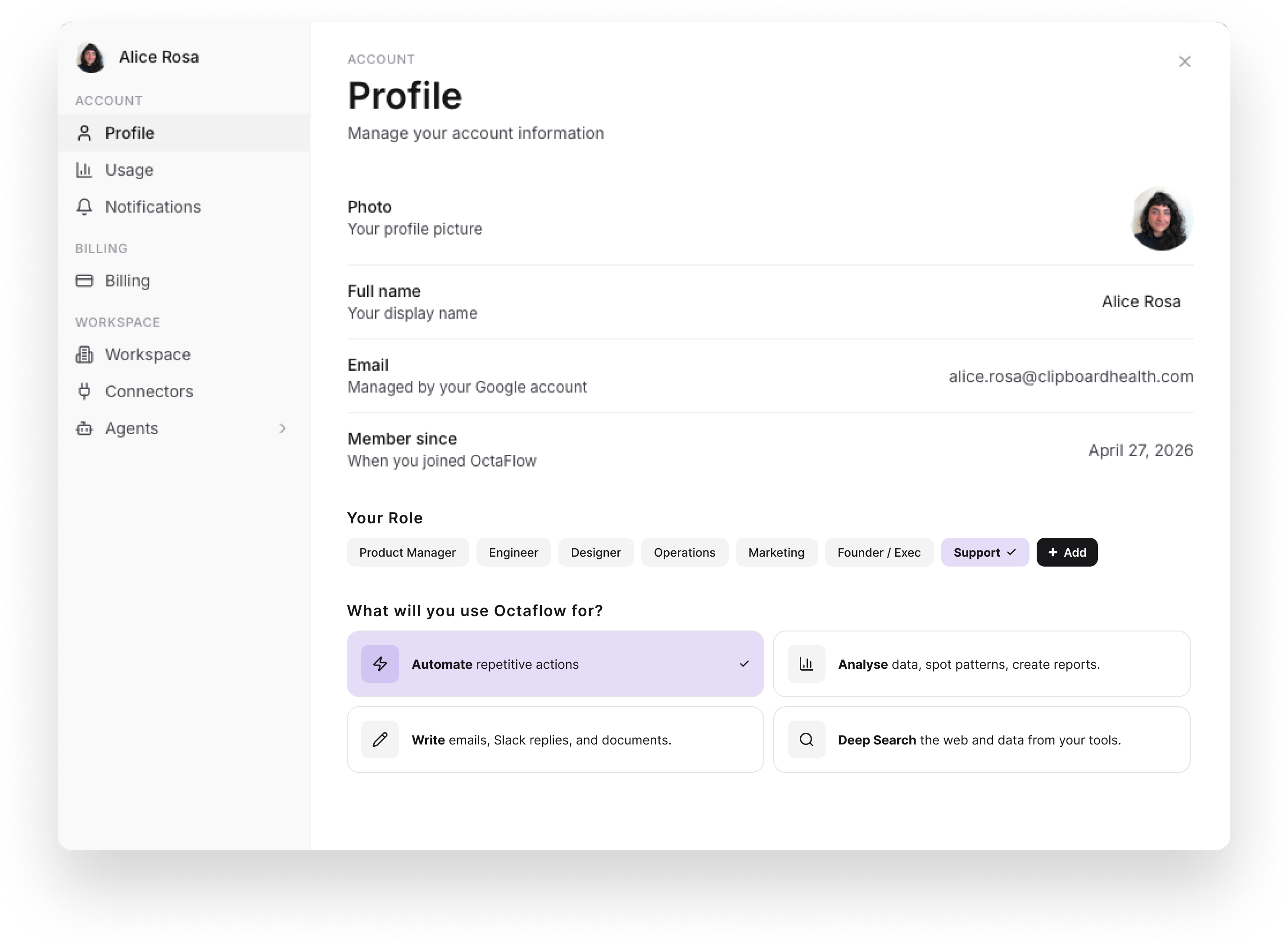
Profile stores the user's role and primary use cases (the same data collected during onboarding) keeping Inky's suggestions adjustable over time. Usage tracks credit consumption and flow executions against the current plan, so users always know where they stand before hitting a limit. Connectors is where tool integrations are added or removed: the set of connected tools determines what Inky can read, write, and act on across the workspace. Agents lets users write custom instructions for Inky's behavior. Workspace management and Billing round out the admin layer, covering team access and plan control for users operating in a shared environment.
The biggest challenge wasn't the UI, it was earning the team's confidence to cut scope. Deprioritizing the canvas as the primary surface felt like a risk when it had already been built. What made the decision defensible was the research: having a documented, evidence-backed argument that the canvas was actively blocking the target persona made it a strategic call, not a designer's preference.
Working on an agentic product also shifted what "good design" meant. In most products, the interface is the experience. In Octaflow, the critical design surface was the trust layer, the moment between "the agent ran" and "the user believes what it did was correct."